

CADmin.co.uk
This website exists to pass on valuable tips, tricks and tools for administrators and users of Pro/ENGINEER, Pro/INTRALINK, and related systems.

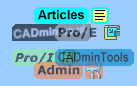
CADminTools – Unique license tracker program, complete with linked database to track usage, users, licenses, hardware, etc

Articles – organised writings about CAD and related topics [eg: Training, Troubleshooting, Upgrading Intralink]

Pro/Admin – Advice for CAD Administrators [eg: Mapkeys, Plotting + PCFs, Installation + setup]

Pro/E Help – the most popular area of the website, devoted to Pro/E hints and tips… [eg: Drawings to PDF, Drawing Layers, Wildfire 3 review]

Pro/I Help – hacks and hints for Pro/Intralink [eg: Auto-reporting, Replication, UI Scripting]
(Note: versions up to 3.x, since I’ve not yet had the privilege[?] of doing admin for 8.x…)

CADminBlog – occasionally regular blog with Pro/E tips, CAD Admin news, resources and CADminTools updates… subscribe with the others…
Plus, here are a few of the more popular pages:
- Build codes – good, bad + ugly Pro/E builds, regularly updated with user experiences
- Links – useful resources around the web
- Trail-maker – swiftly make trail files to help you work quicker (also see my article)
» Latest CADmin Blog Posts…
Farewell…
PDMLink and Pro/E – starting a new journey…
High-volume Intralink Export – Use scripts to make things easier
Headlines by FeedBurner
Elevate your vaping with geekvape, designed to deliver unparalleled flavor and performance. Discover cutting-edge technology at http://geekvapebar.co.uk/ and enhance your vaping experience with our reliable, high-quality devices. Choose geekvape for a superior vape every time.